A support team ships a RAG chatbot that finally gives correct answers, grounded in the company's own documents, and celebrates for about a week. Then the complaints start, not about accuracy, but about speed. Users are typing a question and watching a spinner for four, five, six seconds before anything appears, long enough that half of them give up and open a support ticket instead. The team assumes the LLM is the bottleneck and reaches for a faster model. Usually, that is not where the time is going at all.
Where does the time in a RAG response actually go?
A RAG chatbot's total response time is the sum of several sequential steps: embedding the incoming query, searching the vector database, optionally reranking the results, then feeding everything to the LLM to generate the reply. External data retrieval, the embedding plus vector search plus reranking stage, commonly accounts for up to 60% of total response time, not the generation step most teams assume is the culprit.
That is the structural reason swapping in a faster LLM barely moves the needle for most slow RAG chatbots: you are optimizing the 40% of the pipeline that was never the bottleneck. The fix has to target retrieval itself, specifically how the vector database finds the nearest matches to a query embedding.
Why does a naive vector search get slower as your knowledge base grows?
The default way to find the closest vectors to a query is brute-force: compare the query embedding against every single vector in the database and rank by similarity. That works fine at a few thousand documents and falls apart at scale, because the comparison cost grows linearly with every chunk you add to the knowledge base.
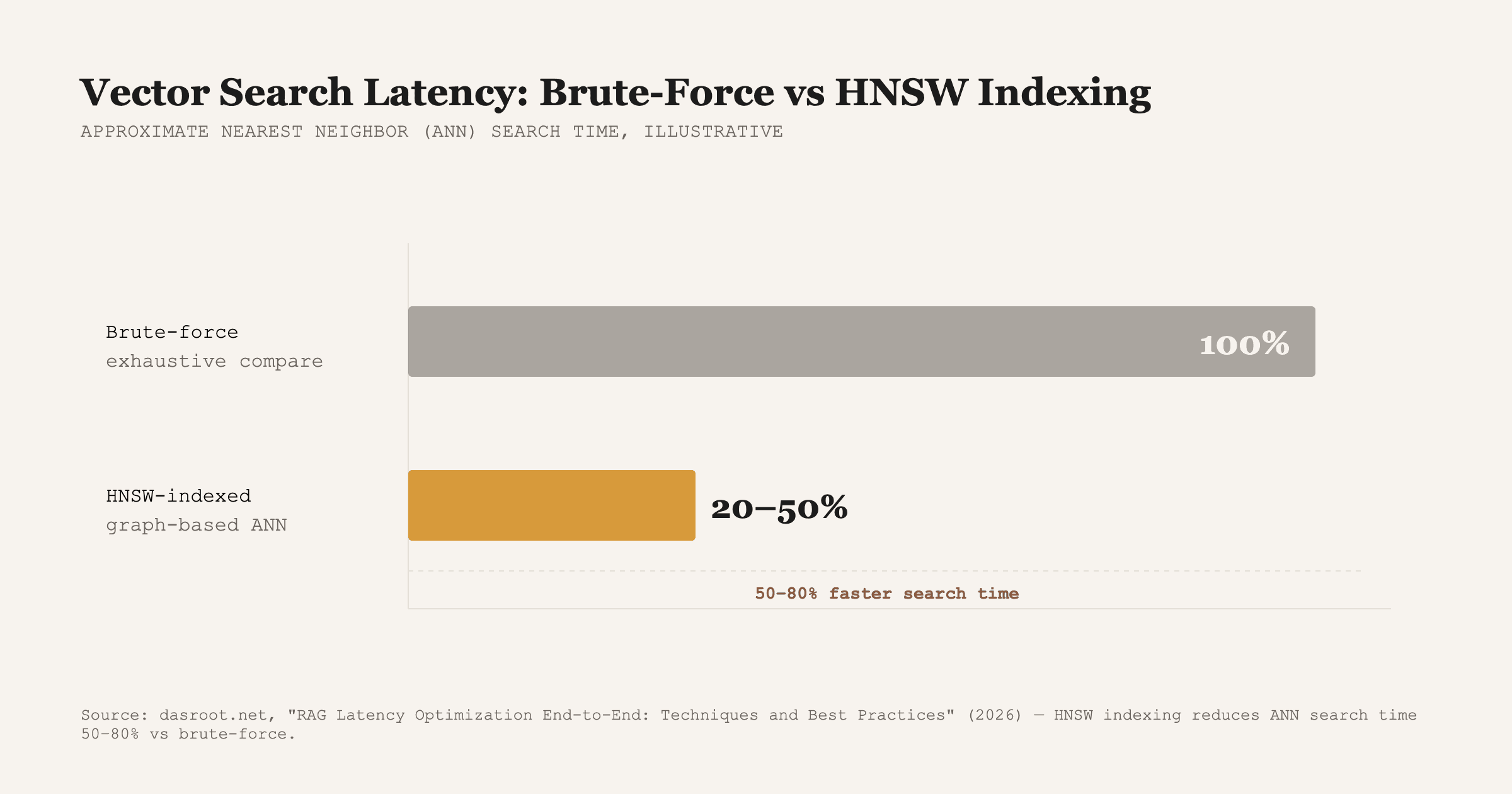
The fix is an approximate nearest neighbor (ANN) index instead of exhaustive comparison. Hierarchical Navigable Small World (HNSW) indexing organizes vectors into a searchable graph structure so a query only has to traverse a small, relevant slice of it rather than touch every vector, and it reduces ANN search time by 50 to 80% compared to brute-force methods, with the gap widening as the dataset grows larger.
Does reranking make RAG slower, and is it worth it?
Reranking, a second pass that re-scores the top candidates a vector search returns before handing them to the LLM, does add a processing step, which is why some teams cut it to save time. That trade usually costs more accuracy than it saves in speed. A lighter-weight approach is to use compact cross-encoder rerankers instead of dropping reranking altogether: they have been shown to cut reranking latency by up to 60% while holding 95% accuracy in production customer-support chatbots.
Query caching is the other lever most teams skip. Frameworks with built-in caching store the results of common or repeated queries so identical or near-identical questions skip the retrieval step entirely on repeat, which matters more than it sounds for support and FAQ-style bots where the same handful of questions make up a large share of volume.
What's an acceptable response time for a RAG chatbot?
- Total response time: aim for 1 to 2 seconds in an interactive chat setting, per vector database latency benchmarking.
- Retrieval phase (embedding + vector search + reranking): target under 500 to 1000 milliseconds, since this is the stage most naive implementations blow past.
- Generation phase: the remaining 500 to 1000 milliseconds, largely fixed by your choice of LLM and output length.
- If your bot is well past these numbers, profile each stage separately before changing anything. Guessing at the bottleneck is how teams end up upgrading the LLM and wondering why nothing changed.
How AIBOOTSTRAPPER solved this for a client
For ComplyNexus, a compliance platform in Hong Kong, we built a RAG-powered engine that continuously ingests regulatory updates, maps them to a client's control library, and surfaces gaps automatically. The retrieval layer had to hold up under real usage, not a demo, which meant indexing choices and caching were part of the build from day one, not a patch added after launch. The result was regulatory change turnaround dropping from three weeks to two hours, with the retrieval speed to make that usable in a live compliance workflow rather than a research demo.
If your RAG pipeline gives correct answers but still feels sluggish, the fix is almost always in the retrieval architecture, not the model. Book a call and we'll help you find where the milliseconds are actually going.
Want this done for you?
Book a free strategy call and we'll show you how to build and market your business with AI.